On this page
How long does a Liebherr wait before the door alarm?#
On the SF 5291 freezer and the W5250 and UW 3710 wine cabinets you choose: 1, 2 or 3 minutes, or off. The alarm is active at delivery. The HW wine coolers use a fixed 180 seconds in the pages we read. 1346
The Liebherr manuals describe the function in the same words, which is helpful: the alarm sounds when the door stays open too long, and you set the wait before it sounds. 134 Delays are listed only for those models, so check the door alarm page of your own manual for yours. The door alarm row for freezers and the one for refrigerators show the on-screen wording, and the wine cooler Door open row does the same for wine.
What does the alarm do when it sounds?#
The warning appears in red on the display, an alarm tone rises in volume, and on some models the interior lighting pulses. On the wine cabinets the signal gets louder until you acknowledge it. 154
The SF 5291 and URh 375i list the three behaviors together as the pattern for any warning. 15 On the W5250 the warning comes with a symbol on the display, and the wine cabinets expect you to close the door and press the confirmation button, which ends the alarm. 4 On Touch & Swipe models, closing the door is enough: the display skips to the status screen. 15
| Model we read | What you do to end it | Delay |
|---|---|---|
| SF 5291 freezer | Follow the illustration, or close the door | 1, 2, 3 minutes or off |
| URh 375i refrigerator | Follow the illustration, or close the door | Settable; see its manual |
| W5250 wine cabinet | Close the door, then press the confirmation button | 1, 2, 3 minutes or off |
| UW 3710 wine cabinet | Close the door, then acknowledge the message | 1, 2, 3 minutes or off |
| HW wine coolers | Close the door, or press the Alarm button to cancel the sound | 180 seconds |
How do I change the delay?#
Open the appliance functions and choose Door alarm. Liebherr's pages show the steps as pictures, with the example of changing from 1 minute to 3 minutes. The text says only that you follow the illustration. 134
We will not retype the screens from memory, because they differ between the Touch & Swipe and the plain Touch display. What the text does tell you is simple.
- 1
- 2
- 3
Check that it took#
The manual's last step confirms the door alarm is now set. Try the bench test described below.
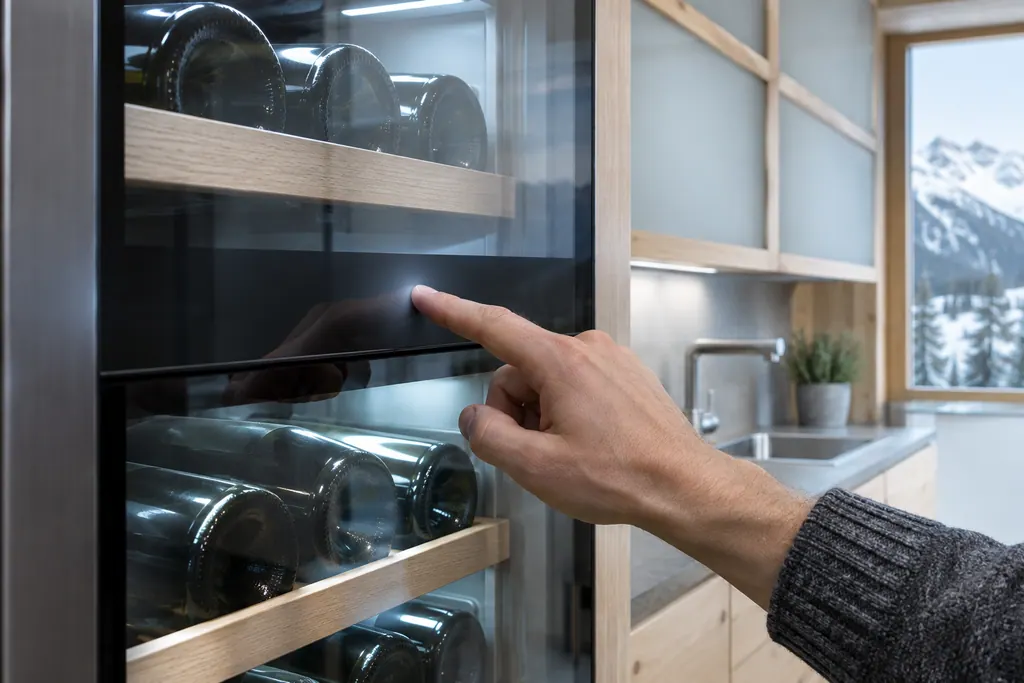
A quick bench test works well: open the door, count, and see when the alarm tone starts. Close the door right away so the contents stay cold.
Which sounds does the door alarm setting control?#
Only the door alarm. A separate function turns all alarm sounds on or off, such as the door alarm among them. It is called Alarm sound on the W5250 and Alarm tone on the UW 3710. 34
The UW 3710 adds a light alarm, which makes the appliance lighting flash along with the on-screen alarm messages. 3 That is a third way to get a warning, and it works without sound. It is a setting for people who cannot always hear a tone.
Why does the display read warmer after the door alarm?#
Because the appliance cools harder afterward. The SF 5291 says the temperature on the display may be higher than the real temperature inside, and the appliance noise may be louder. Both are expected after an alarm. 1
The same table of problems lists the case: the door was open so long that the door alarm came on, so the appliance cools more intensely. 1 Leave the door shut and the readings settle. Our guide to normal Liebherr noises lists what the cooling hum and fan sounds mean.
How does the door alarm compare with the other warnings?#
It follows the same pattern as the other warnings on the Touch & Swipe models: Door alarm, Power failure alarm, Temperature alarm, Error and WLAN error all appear in red with a rising alarm tone. Reminders appear in yellow with an alarm tone instead. 15
Among those, the door alarm is the one you can end by simply closing the door. 1 The others ask for touches on the display. Our pages for the freezer Power failure alarm and the freezer Temperature alarm cover two of them, and the refrigerator Temperature alarm covers the same message on a refrigerator.
What do the HW wine coolers do?#
They have no delay menu in the pages we read. Leave the door standing open past 180 seconds and the audible alarm sounds, and it switches back to standby when the door is shut. 6
If you must keep the door open to place bottles, press the Alarm button to cancel the audible alarm signal. 6 The manual adds a related tip for the temperature alarm: if the temperature shown is too high, first check whether the door is closed correctly, and if the display still reads too high or too low after one hour, contact customer service. 6 That is the point at which an independent technician can help, so book a visit if the reading stays off.
The SF 5291 table says the same about a freezer that is not cold enough: the first cause it lists is that the door of the appliance is not closed properly. 1
When is the door alarm muted on purpose?#
In SabbathMode. The mode gives no door alarm and no temperature alarm, so nothing will beep if the door is left ajar. 12 Our SabbathMode guide shows the whole list.
If the alarm is silent and you have not set the mode, look for the status display showing the word SabbathMode, or check whether the alarm delay is set to off.
What if the alarm keeps sounding with the door closed?#
The manuals give one reason for the alarm: an open door that has waited past the delay. If it keeps sounding while the door looks shut, the door is probably not reaching its closed position, so look for a box or bottle sticking out first. 134
That check is ours and not a manual step. The manuals do not list other causes. If the door still alarms after you clear the way, or the door does not close right, that needs a technician; the door seal entry explains the part that holds the cold in. You can also book a visit with the model name and the delay you chose.
Our independent repair company is separate from Liebherr, so a unit that is still inside Liebherr's own warranty is repaired through Liebherr. Anything else is ours to look at. Pricing runs in two steps: you and the technician settle the amount ahead of any work, and the diagnostic at your home fixes the exact cost. Read about visits on the refrigerator service page or the freezer service page.
Sources#
- User GuideLiebherr-Hausgeräte (US market edition; linked from https://www.liebherr.com/en-us/p/sfnsth-529i-3033451) · PDF created 10.11.2025; file tag SFNsth529i_237; cover: SF 5291; US product page SFNsth 529i · PDF pages 19, 22, 32
- Use and Care Manual FreezerLiebherr-Hausgeräte (US market edition; linked from https://www.liebherr.com/en-us/p/efnhi-9971-3033453) · PDF created 07.04.2026; file tag EFNhi9971_237; cover: MF 1851 / MF 1861 / MF 2451 / MF2461 / MF 3051 / MF 3061 / MF 3651 / MF3661, 7085 979-01 · PDF page 12
- User GuideLiebherr-Hausgeräte (US market edition; linked from https://www.liebherr.com/en-us/p/uwpri-3762-3033487) · PDF created 04.09.2026; file tag UWpri3762_137; cover: UW 3710 (wine cabinet); US product pages UWpri 3761, UWpri 3762 · PDF pages 14-15
- User GuideLiebherr-Hausgeräte (US market edition; linked from https://www.liebherr.com/en-us/p/wpsd-5252-3033484) · PDF created 07.07.2025; file tag WPsd5252_137; cover: W5250 (freestanding wine cabinet); US product page WPsd 5252 · PDF pages 15, 19
- User GuideLiebherr-Hausgeräte (US market edition; linked from https://www.liebherr.com/en-us/p/urh-375i-3033413) · PDF created 07.09.2026; file tag URh375i_137; US product pages URh 365i, URh 375i · PDF page 19
- Use and Care Manual for Wine CoolerLiebherr-Hausgeräte (US market edition; linked from https://www.liebherr.com/en-us/p/ewtdf-3553-3033487) · PDF created 31.01.2025; file tag EWTdf3553_137; cover: HW 3000, HW 4800, HW 8000, 7085 007-01; V: 01_2025 · PDF page 8